
Recovery score
A 0–100 score that tells you how ready your body is to train today. It's built from last night's heart rate variability, resting heart rate and sleep, and compared with your own normal rather than a population average.
Free
Coming soon to theApp Store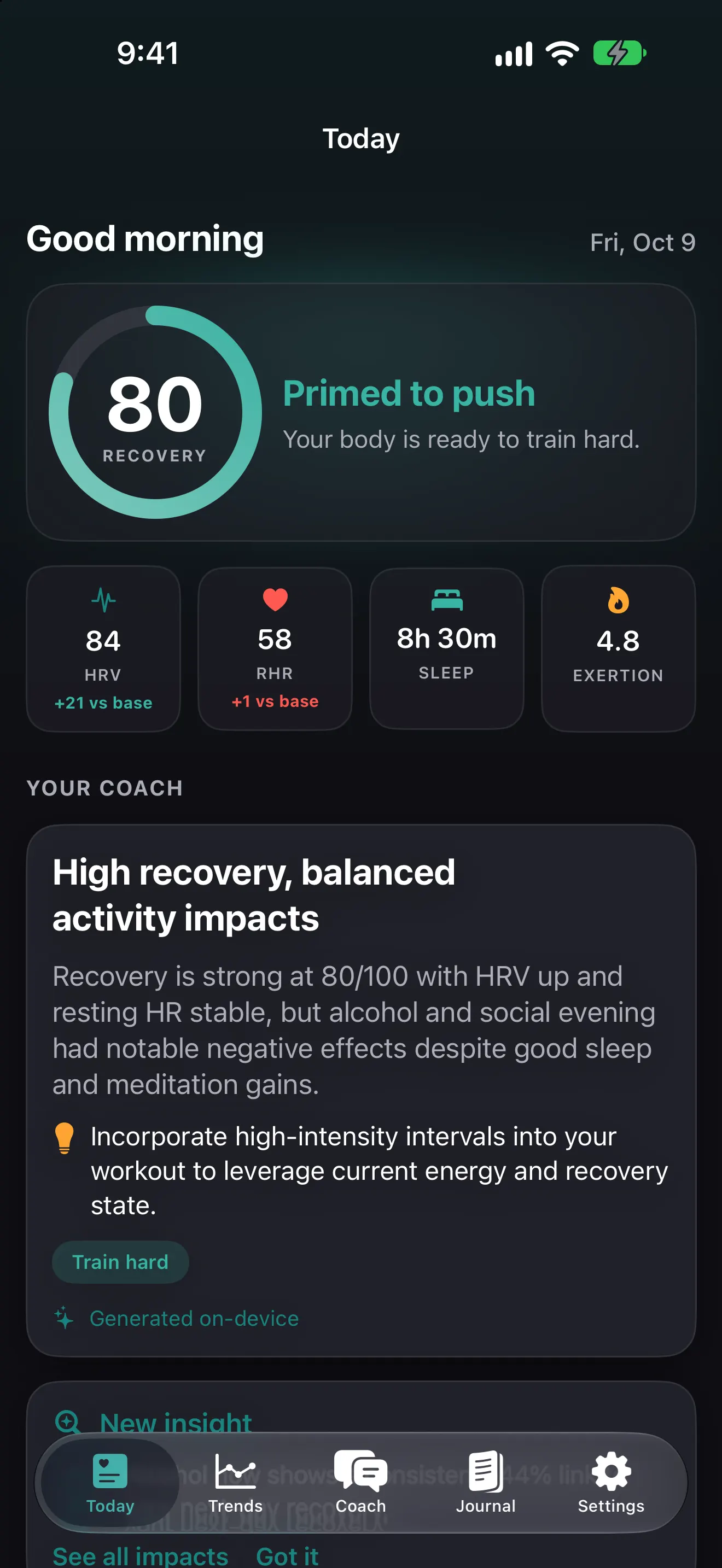
How the recovery score works
Every morning Pulse Coach reads three signals from Apple Health and compares each one with your personal baseline (the last 60 days):
| Signal | Weight | Why it matters |
|---|---|---|
| Heart rate variability (HRV) | 50% | The most sensitive overnight marker of how your nervous system is handling stress and training load. Higher than your normal is good. |
| Resting heart rate (RHR) | 30% | Tends to rise with fatigue, heat, alcohol and illness. Lower than your normal is good. |
| Sleep duration | 20% | Measured against an 8-hour target. Short nights reduce how much you can absorb hard training. |
Each signal is converted into how far it sits above or below your own normal. The three are blended with those weights into one 0–100 number. Read the full method on How it works.
Your baseline, not a chart
Raw HRV varies enormously between people, by age, genetics and fitness. A 45 ms HRV can be excellent for one person and a bad night for another. That’s why Pulse Coach scores you against your own rolling baseline. Scores start to become personal after about 7 nights and get steadier as your 60-day window fills in.
What you do with it
The score drives the training call on your Today screen:
- High (67–100): push. A good day for your hardest planned session.
- Moderate (34–66): train with intent. Steady work, and leave a little in the tank.
- Low (0–33): ease off. Walk, do mobility or a recovery routine, and go to bed early.
Feeling run down? Turn on rest mode and Pulse Coach switches every recommendation to recovery until you turn it off.
Which HRV does it use?
Apple Health has long stored HRV as SDNN. Where Apple Health also records RMSSD, the measure most recovery research uses, and has at least 7 days of it, Pulse Coach switches to RMSSD automatically. Otherwise it uses SDNN. Either way you’re compared only with your own history from the same measure. See RMSSD vs SDNN.
Frequently asked questions
What is a good recovery score?
67–100 is high (green), meaning you're ready for a hard session. 34–66 is moderate (amber), a good day for steady training. 0–33 is low (red), a day for easy movement, rest and an early night. Because the score is relative to your own baseline, a 70 for you and a 70 for someone else mean the same thing, even if your raw HRV numbers differ.
Why is my recovery score low when I feel fine?
The score reacts to overnight physiology, which often changes before you notice it. Alcohol, a late meal, stress, travel, heat or the start of an illness can lower HRV and raise resting heart rate. One low day isn't a problem; a run of low days is worth paying attention to.
Do I need to wear my Apple Watch to bed?
Yes. Apple Watch records HRV and resting heart rate mostly during sleep, and sleep tracking needs the watch on your wrist. Charge it before bed or while you shower in the morning.
More features
Exertion score
A 0–10 exertion score from time in each Apple Watch heart-rate zone, with a daily target range matched to your recovery and training goal.
Sleep score, sleep debt and bedtime target
Track sleep debt over 14 nights, see a sleep score from duration, deep and REM sleep and efficiency, and get a bedtime target that pays the debt back.
Journal and habit impacts
Tag alcohol, late meals, caffeine, stress, sauna and more. Pulse Coach shows how each habit changes your next-day recovery and that night's sleep.
On-device AI health coach
Ask questions about your recovery, sleep and habits. Answers come from Apple Intelligence running on your iPhone, so your data never reaches a server.
Guided routines and HIIT interval timer
Guided breathwork, mobility, stretching, NSDR deep rest and bodyweight HIIT circuits with voice cues, 3-2-1 beeps, haptics and a Live Activity.
Apple Watch app, complications and widgets
See recovery, exertion and sleep on your wrist with the Pulse Coach Apple Watch app and complications, plus iPhone Home Screen and Lock Screen widgets.
Trends and weekly report
Charts for recovery, HRV, resting heart rate, sleep and exertion over 7, 30 and 90 days, plus a weekly report on what changed and what to focus on.